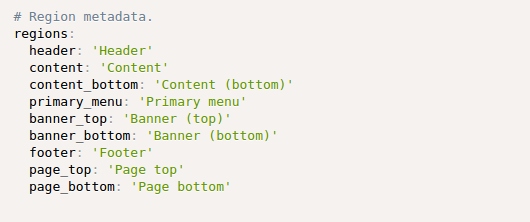
Edit your theme's .info.yml file
Declare some region on .info.yml file:
Clear the cache
Clear the cache so your new regions are detected.
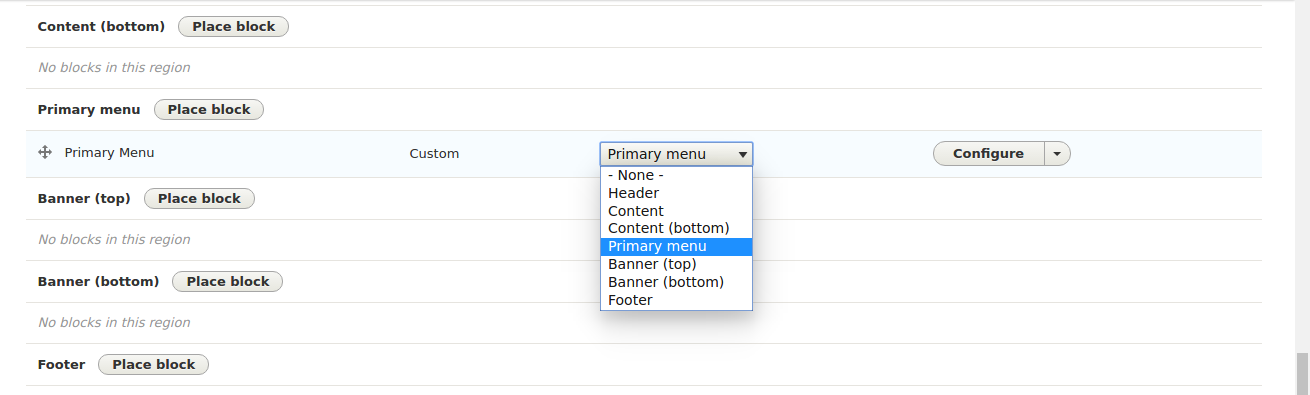
Confirm that it's working
Navigate to Structure > Block layout (admin/structure/block) to confirm that Drupal is now using your regions.
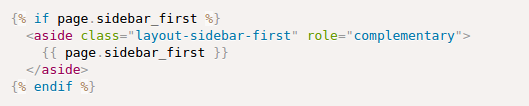
Edit your page.html.twig file
Displaying regions in your page.html.twig template.
If you haven't already, you'll need to override the default page.html.twig file since we'll be modifying it.
Now, just adjust the markup in your page.html.twig template to accommodate your new regions.